
Short answer: use FTP movie servers when you want to browse and download a big library of films on demand, and IPTV / live TV servers when you want channels playing live (sports, news, dramas). Both run over BDIX, so both are fast and usually data-free — the right choice is about how you like to watch.
How FTP movie servers work
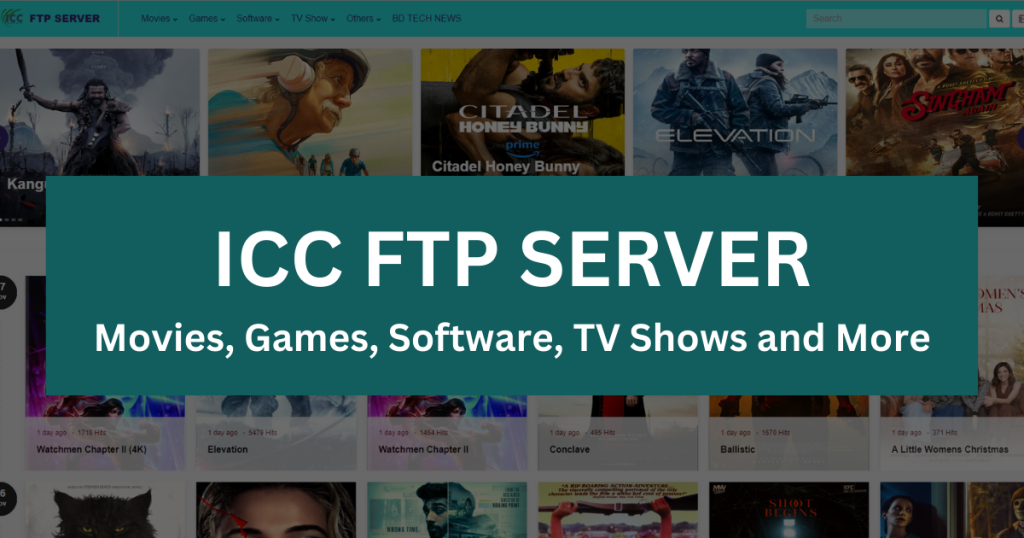
An FTP movie server is a file server with a web front end. You open its address in a browser and see folders: Movies, TV Series, Anime, Software, Games, often sorted by year or language. Click into a folder, click a file, and the browser either plays it (MP4 plays almost everywhere) or downloads it (MKV usually downloads, then opens in VLC or MX Player). Nothing is scheduled; the library is there whenever you want it, and anything you download is yours to watch offline on the bus or during a power cut. The experience is closest to "a hard drive full of movies on the network". Browse the current BDIX FTP movie server list to see what is live.
How IPTV and FTP live TV work
IPTV means television delivered over an internet connection instead of cable or satellite. In Bangladesh the term is used loosely for two things: paid IPTV subscriptions (an app plus a playlist of channels, often international) and the free FTP live TV portals that ISPs and communities host on BDIX. The free portals are what our FTP live TV server list covers: open the page, pick a channel, and it streams in real time in your browser. You don't choose files; you choose channels, and you watch what is on right now. That is exactly what you want for a cricket match, breaking news or a live drama slot, and exactly what you don't want for a movie night where everyone wants a say.
Quick comparison
| Feature | FTP movie servers | IPTV / FTP live TV |
|---|---|---|
| Content | On-demand library — browse & pick | Live channels in real time |
| Download | Yes — save files for offline | No — stream only |
| Best for | Movies, series, binge-watching | Sports, news, live events |
| Speed & data | Full BDIX speed, usually data-free | Full BDIX speed, usually data-free |
| Quality | You choose the file: 720p, 1080p, 4K | Fixed by the channel feed, often 480p–1080p |
| Devices | Any browser; files play in VLC / MX Player / smart TV apps | Browser; some portals work on smart TV browsers |
| Setup | Browser, no app needed | Browser, no app needed |
| Weak spot | No live events; new releases depend on uploaders | Buffering at peak times; channels come and go |
Speed, data and quality
Because both run over BDIX, both avoid the international bottleneck and both are usually excluded from your ISP's fair-usage cap (check your package; it is an ISP policy, not a BDIX rule — What Is BDIX? explains why). The difference is in how speed shows up. With an FTP download, more speed means the file finishes sooner; once it is on your device, playback is perfect no matter what the network does. With live TV, the stream has to keep up in real time, so evening congestion shows up as buffering, and you can't "download ahead". Quality is also in your hands with FTP: pick a 1080p file for the TV, a 720p file for the phone. A live channel is whatever bitrate the portal's source feed provides.
Devices and where you watch
- Phone. Both work in Chrome or Firefox. For FTP, install VLC or MX Player so MKV and dual-audio files play; for live TV, the browser player is usually enough.
- PC or laptop. The easiest device for both. FTP downloads can be queued with a download manager; live TV plays in any browser.
- Smart TV. Downloaded FTP files play from a USB stick or a shared folder; some live TV portals load in the TV's browser, but many don't, and an Android TV box with a browser is the reliable route.
- Family viewing. FTP wins: one download, then everyone watches on the big screen without the network mattering. Live TV wins for anything happening now.
How people actually combine the two
In practice most households in Bangladesh with a fibre connection end up using both, for different moments. A typical week looks like this: the match is on, so someone opens a live TV portal on the laptop and casts it to the TV, accepting a little buffering at peak time because the point is watching it now. The next evening nobody agrees on a film, so someone browses a movie server on the phone, queues three downloads, and by dinner there is a choice sitting on the hard drive that plays perfectly regardless of the network. On the weekend a whole series gets pulled from the FTP server overnight for a trip with no Wi-Fi. Live TV for anything time-bound; FTP for anything you'd rather pick and keep. The only habit worth building is to run the tester when a bookmarked server stops working, because both kinds of server come and go, and a two-minute check beats an evening of guessing.
Pros and cons at a glance
FTP movie servers — pros: huge libraries, offline viewing, your choice of quality, immune to buffering once downloaded. Cons: nothing live, you need storage space, new releases depend on when a server's uploaders add them, and MKV files need a proper player.
IPTV / FTP live TV — pros: live sports, news and events; zero storage; channel-flipping convenience. Cons: buffering at peak times, you can't pause or rewind on most portals, quality is fixed by the feed, and channels or whole portals disappear without notice.
Which should you pick?
Honestly, use both — they complement each other. Watch the match live on a TV server, then download the film for the weekend from a movie server. The one thing that applies equally to both: run the BDIX tester first so you only use servers that work on your connection, because peering decides reachability for live and on-demand servers alike. If a server won't open, the fixes in BDIX server not opening? 7 ways to fix it apply to both kinds. And for choosing among the servers that do work, see the best BDIX FTP servers in Bangladesh.
Frequently asked questions
Is "FTP live TV" the same as a paid IPTV subscription?
No. Paid IPTV is a subscription app with a channel playlist, usually delivered over the international internet. FTP live TV portals are free pages hosted on BDIX by ISPs and communities. Quality and legality vary; we only list the free BDIX portals.
Can I record live TV from a BDIX portal?
Not through the portal itself. If you want to keep something, look for it on an FTP server afterwards; popular matches and shows are often uploaded within a day.
Why does a movie server open but the live TV server doesn't?
They are different servers on different networks, and your ISP may peer with one but not the other. Test both with the tester.
Does watching live TV over BDIX use my data?
Usually not, if your ISP excludes BDIX from the cap. On mobile data it typically does count.