
Short answer: BDIX (Bangladesh Internet Exchange) is a local hub that connects the country's ISPs directly. When a server is hosted on BDIX, your traffic to it stays inside Bangladesh instead of going abroad — so it's fast, low-latency, and on most ISPs it doesn't count against your internet data quota.
BDIX in plain English
Think of the internet as a set of networks that have to agree to exchange traffic with each other. Normally, when you open a website hosted abroad, your data leaves Bangladesh through the international gateways and submarine cables, reaches the server, and comes all the way back. That path is long, shared with everyone else in the country, and expensive for ISPs to use.
An internet exchange point (IXP) is a physical place where networks plug into the same switch so they can hand traffic to each other directly. BDIX is Bangladesh's exchange: ISPs, content providers and hosting networks connect to it and agree to "peer", which simply means "we'll exchange each other's traffic here for free instead of sending it through the international route". A BDIX-hosted FTP server is therefore "next door" on the network. Your request goes from your ISP to the exchange to the server and back, all inside the country, in a few milliseconds.
Why BDIX servers are so fast
- No international bottleneck. Bangladesh's international bandwidth is finite and shared. Local traffic avoids it completely, so a BDIX download isn't competing with everyone's YouTube and Netflix.
- Low latency. A round trip to a server in Dhaka is typically a few milliseconds; a round trip to a server in Europe or the US is well over a hundred. Short round trips let downloads ramp up to full speed quickly and make streams start almost instantly.
- Big local pipes. ISPs connect to the exchange with high-capacity links because local traffic is cheap for them. In practice your own plan speed or your Wi-Fi is usually the limit, not the server.
This is why a 2 GB movie from a BDIX server can finish in minutes while the same file from an overseas site crawls. It is also why live TV over BDIX buffers less than international IPTV; see FTP movie servers vs IPTV for the comparison.
Why BDIX FTP servers are often "free"
Many ISP packages have a fair-usage policy (FUP) or data cap that applies to international traffic, because that is what costs the ISP money. Local BDIX traffic costs them almost nothing, so a lot of providers exclude it from the cap, or sell plans with "unlimited BDIX". That is the whole secret behind "free" FTP movie downloads in Bangladesh: you are still using your connection, but the bytes don't count against the part of your plan that is metered. Two caveats: this is a per-ISP policy, not a rule of BDIX itself, so check your package; and mobile data plans usually don't make the distinction at all.
What actually runs on BDIX
FTP movie servers are the famous part, but the exchange carries much more:
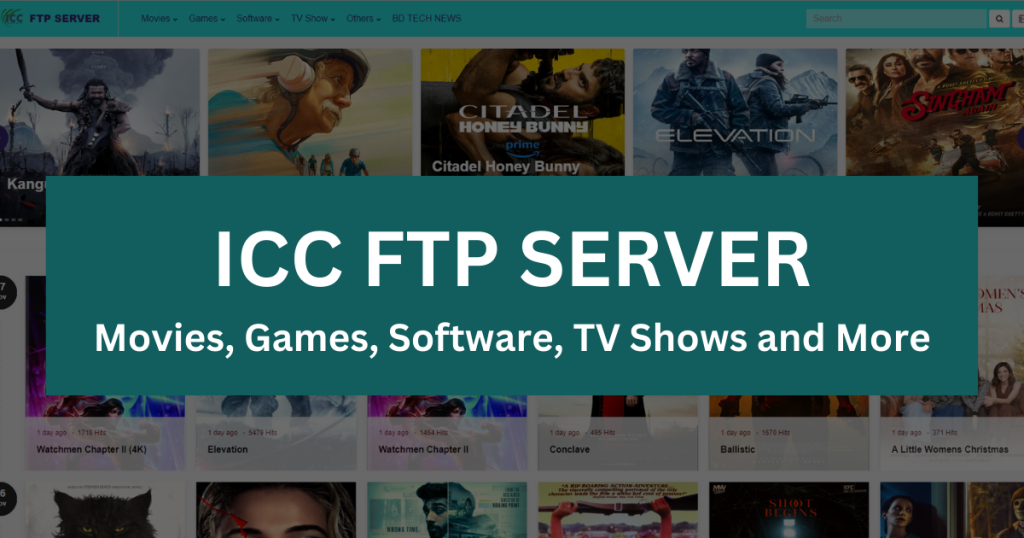
- FTP / media servers — the large shared libraries of movies, series, anime, software and games. Browse our BDIX FTP movie server list.
- Live TV portals — web players that stream local and international channels. See the FTP live TV server list.
- Game servers and update mirrors — low-latency Counter-Strike, Dota and Minecraft servers, and Steam or Windows update caches that save international bandwidth.
- Content caches — Google, Facebook, Akamai and other networks place caches in Bangladesh so popular content is served locally. That is why YouTube often feels faster than a random foreign website even though neither is "BDIX FTP".
- Local websites and services — banks, newspapers, government portals and hosting companies that peer locally.
Why availability depends on your ISP
Here is the part that confuses everyone. Connecting to the exchange doesn't mean every network talks to every other network. Peering is an agreement between two parties, and ISP-run FTP servers are often deliberately restricted to that ISP's own customers. So whether a given server opens for you depends on whether your ISP peers with that server's network. There is no universal list that works for everyone, and a server that is perfect on one provider may be unreachable on another. Private addresses such as 10.x.x.x are a giveaway: they only mean something inside the networks that peer with them.
The practical consequence: don't collect addresses, collect working addresses. The BDIX tester checks every server on our lists from your own browser and shows you which ones your ISP can reach. If a server you want is red, BDIX server not opening? walks through the fixes — and explains why a VPN makes things worse, not better.
Local vs international: a worked example
Suppose you want a 2 GB film. From a server abroad, the data travels through your ISP, out through one of the international gateways, across a submarine cable to wherever the server lives, and back. Every step is shared with the whole country's international traffic, and the long round trip means your download spends a lot of time waiting for acknowledgements before it can speed up. On a busy evening it may crawl along at a fraction of your plan speed, and every byte counts against your cap. From a BDIX server, the same request goes to your ISP, across to the exchange, to the server, and back — a few milliseconds each way, over links that are cheap for ISPs and rarely congested. The download ramps up to your plan speed almost immediately, finishes in minutes, and on most fibre packages isn't metered. Same file, same connection, same laptop; the only difference is the path the bytes take.
A quick history
Bangladesh's ISP community set up the exchange so that domestic traffic would stop taking the expensive international detour. It is operated by the ISP association rather than a single company, and over the years the number of connected networks and the volume of local traffic have grown enormously as fibre ISPs spread across Dhaka, Chittagong and the rest of the country. The FTP-server culture grew up around it: ISPs built media servers to give customers something fast and cap-free to do with their connections, and community servers followed.
How to tell whether you're using BDIX
- Run the tester: if a good number of servers come back green, your connection has BDIX access.
- Download a large file from a green server and watch the speed. If it is close to your plan speed (or faster than any foreign site), you are on BDIX.
- Check your ISP's package page for "BDIX" or "FTP" and whether it is excluded from the FUP.
Frequently asked questions
Is BDIX the same as the internet?
It is part of it: a local shortcut between Bangladeshi networks. International sites still go the long way.
Do I need to sign up for BDIX?
No. If your ISP peers, it just works. There is nothing to install or register.
Why are BDIX servers mostly http, not https?
They are private file shares served to a known audience, and certificates for private IP addresses are impractical. "Not secure" in the browser is expected and doesn't affect downloads.
Can I host my own server on BDIX?
Only through a network that peers at the exchange — usually your ISP or a hosting provider. Home connections can't peer directly.
Getting started: run the tester, then open the movie servers or live TV servers in your browser. No software, account, or payment required. For picking between them, read the best BDIX FTP servers guide.